2026 Cainiao Malaysia Registration Guide
Malaysia users do not need to look for a separate overseas registration form. Open the Cainiao app, set the country or region to Malaysia, then sign in with a phone number or email. If the phone number has not been registered, the account is created automatically after mobile verification.
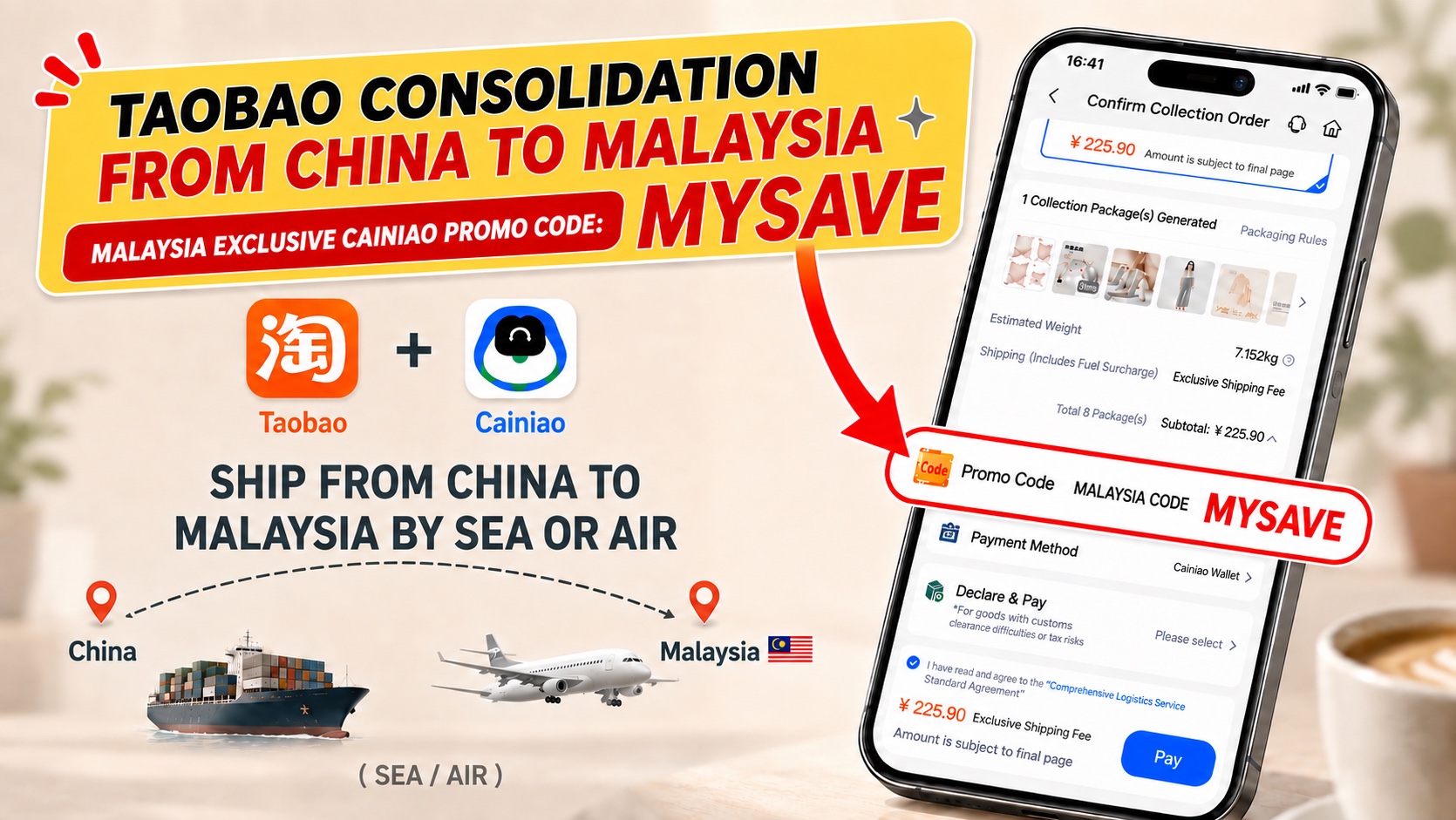
One important point: MYSAVE is not a registration or referral code. Enter it in the Promo Code field after your parcels have reached the warehouse, you have consolidated them and you are ready to pay the international shipping fee.
Cainiao Malaysia promo code: MYSAVE
Before paying, confirm that the discount is active and the final payable amount has been updated. The actual discount, eligible routes and availability are determined by the checkout page for your account.
The complete process at a glance
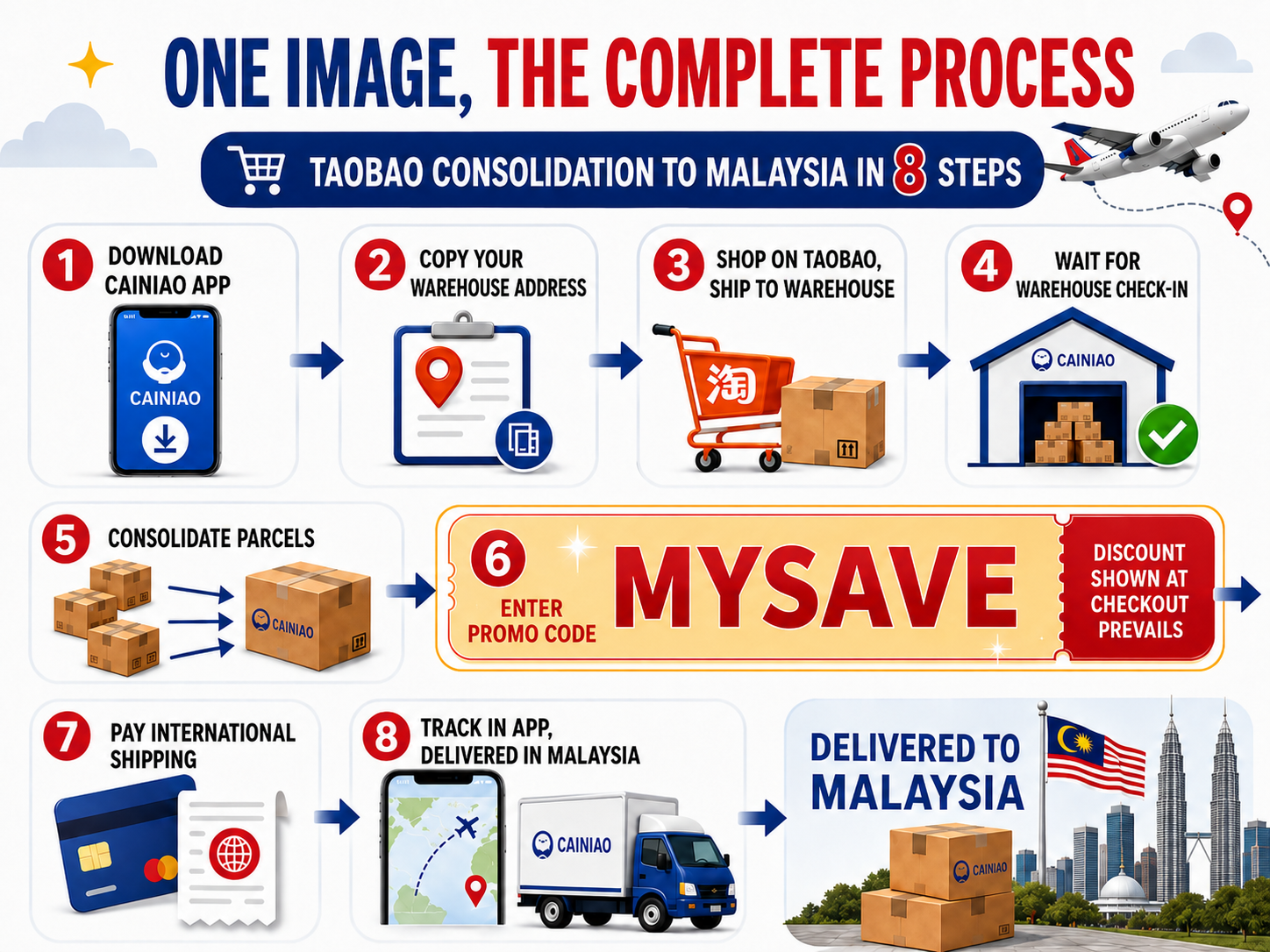
Complete the account setup first, then follow the Taobao consolidation process in order.
Step 1: Download the Cainiao app
Taobao is where you buy the products. Cainiao receives the domestic parcels in China, consolidates them and sends them to Malaysia. It is useful to have both the Taobao and Cainiao apps installed.
Open the Cainiao app download page
Button names may vary slightly by phone system, app version or sign-in status. Look for the sign-in page and the country or region setting.
Step 2: Set the country or region to Malaysia
Open Country(Region)/Language Setting from the sign-in page and check the following:
- Set the country or region to Malaysia.
- Confirm that the phone country code is +60.
- Select English or another language currently offered by the app.
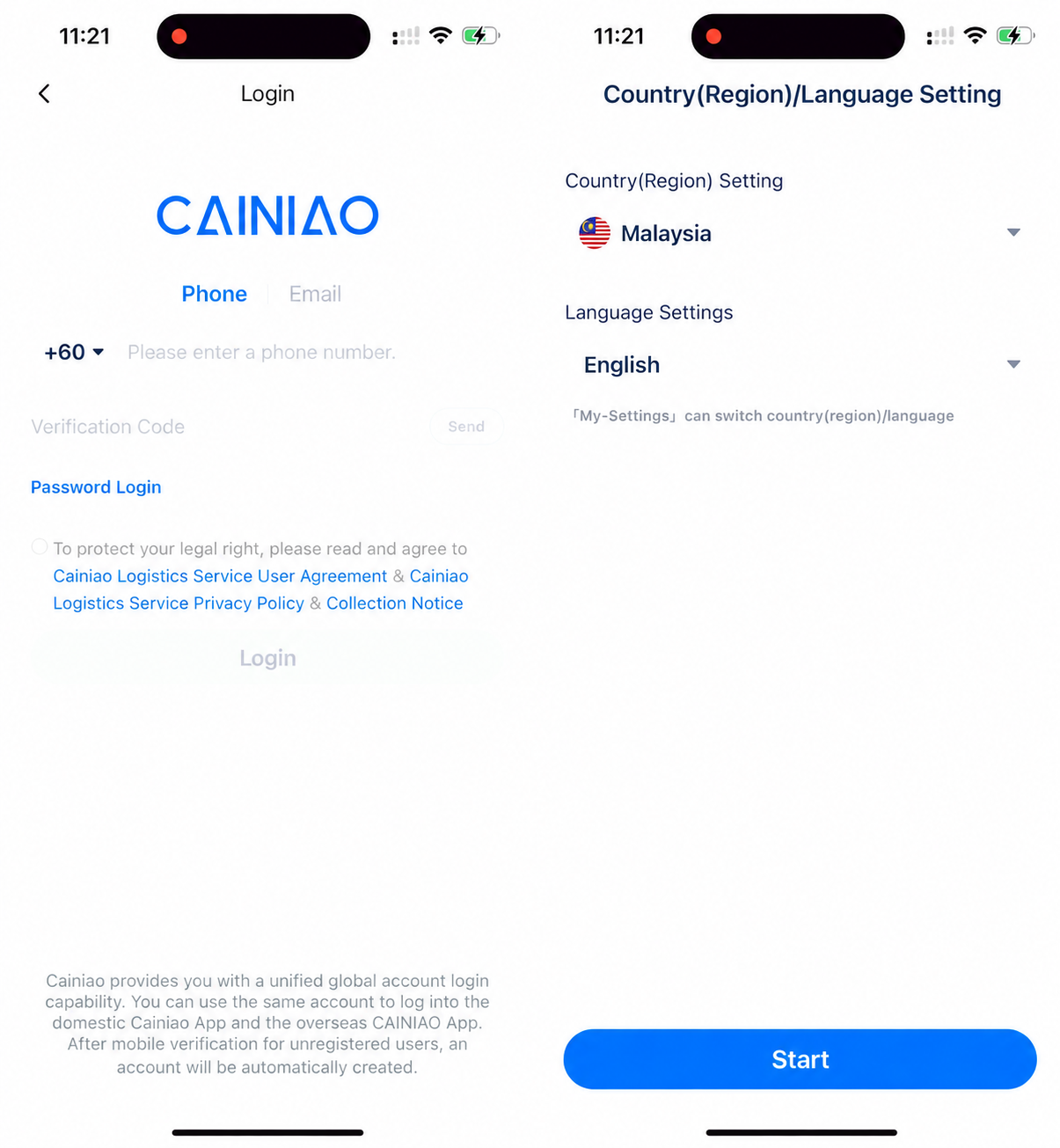
If another country site still appears after signing in, do not continue entering an address or making a payment. Return to the settings page and confirm that the destination is Malaysia.
Step 3: Sign in and create an account
Choose one of the methods currently offered on the sign-in page:
- For a Malaysian phone number, confirm the +60 country code and enter a number that can receive text messages.
- Read and agree to the service agreement and privacy policy shown on the page.
- Request and enter the verification code. If the phone number is not registered, the account is created automatically after verification.
- If the page offers Email or Password Login, choose the option that matches your existing account.
Step 4: Add your final delivery address in Malaysia
Open address management and add the Malaysian address where the parcel will ultimately be delivered. Check:
- The recipient’s name and phone number.
- State, city, full street address, floor and unit number where applicable.
- The correct postcode.
- Whether the West Malaysia or East Malaysia destination matches the selected route.
This is your final delivery address in Malaysia. The next step uses your Cainiao China warehouse address. They serve different purposes, so do not swap them.
Step 5: Copy your personal China warehouse address
Find My Warehouse Address on the Cainiao app home page and open Copy Warehouse Address. Confirm where the parcel will ultimately be delivered, choose West Malaysia or East Malaysia, then tap Copy All.
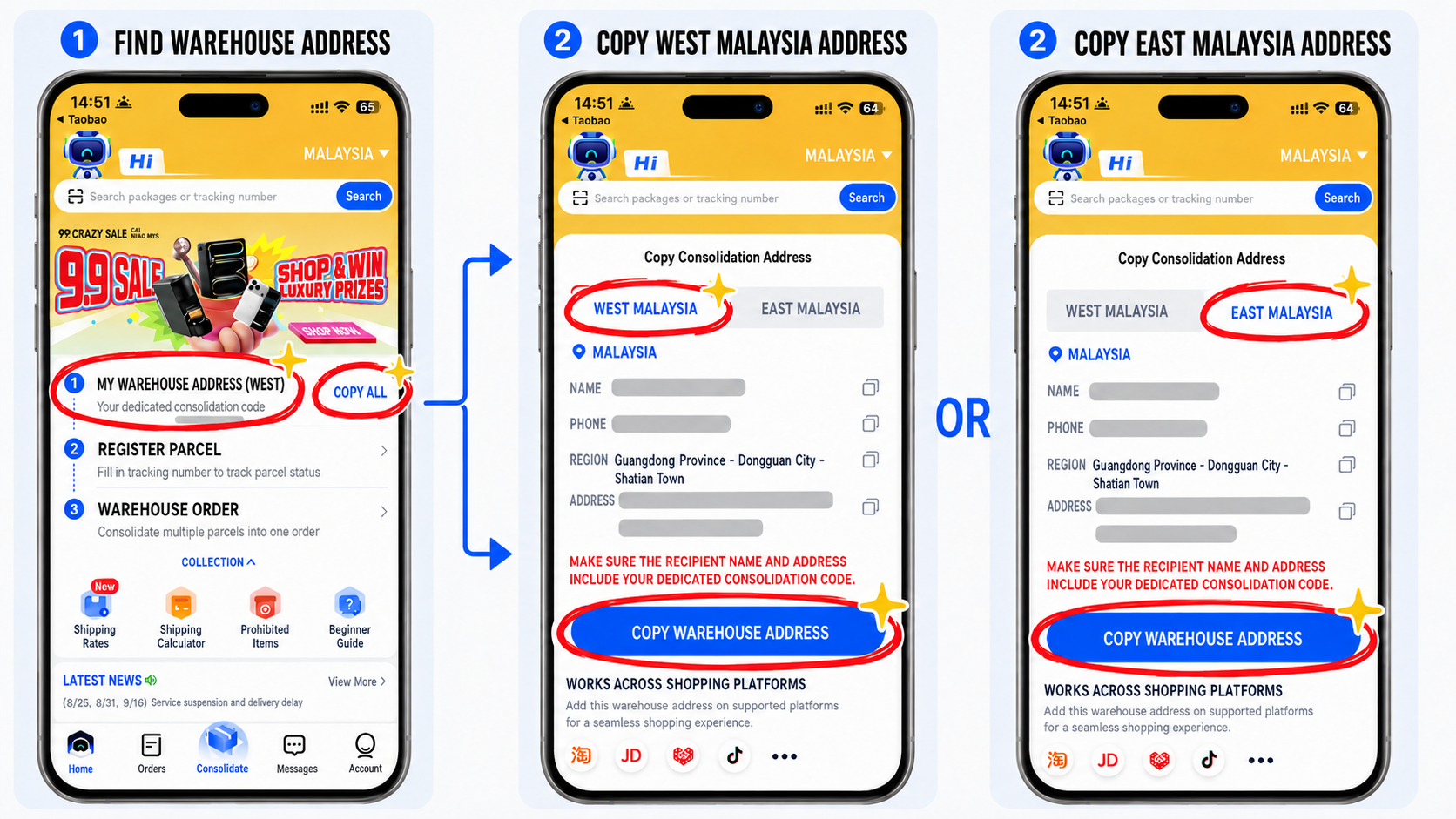
West Malaysia and East Malaysia use different dedicated consolidation codes and China warehouse addresses. Select the matching tab for the parcel’s final destination, then use Copy All to copy the complete name, phone number, region and address into Taobao. Choose one set only; do not copy both or mix the two addresses.
Always use the details currently shown in your own account. Do not copy the address in this guide or another person’s address. A missing or mismatched dedicated consolidation code may prevent correct parcel matching and warehouse check-in.
Step 6: Shop on Taobao and ship to the Cainiao China warehouse
Open Taobao and save the Cainiao China warehouse address you just copied as a delivery address. When buying products for consolidation, select this China warehouse address so the seller sends each order to the Cainiao warehouse first.
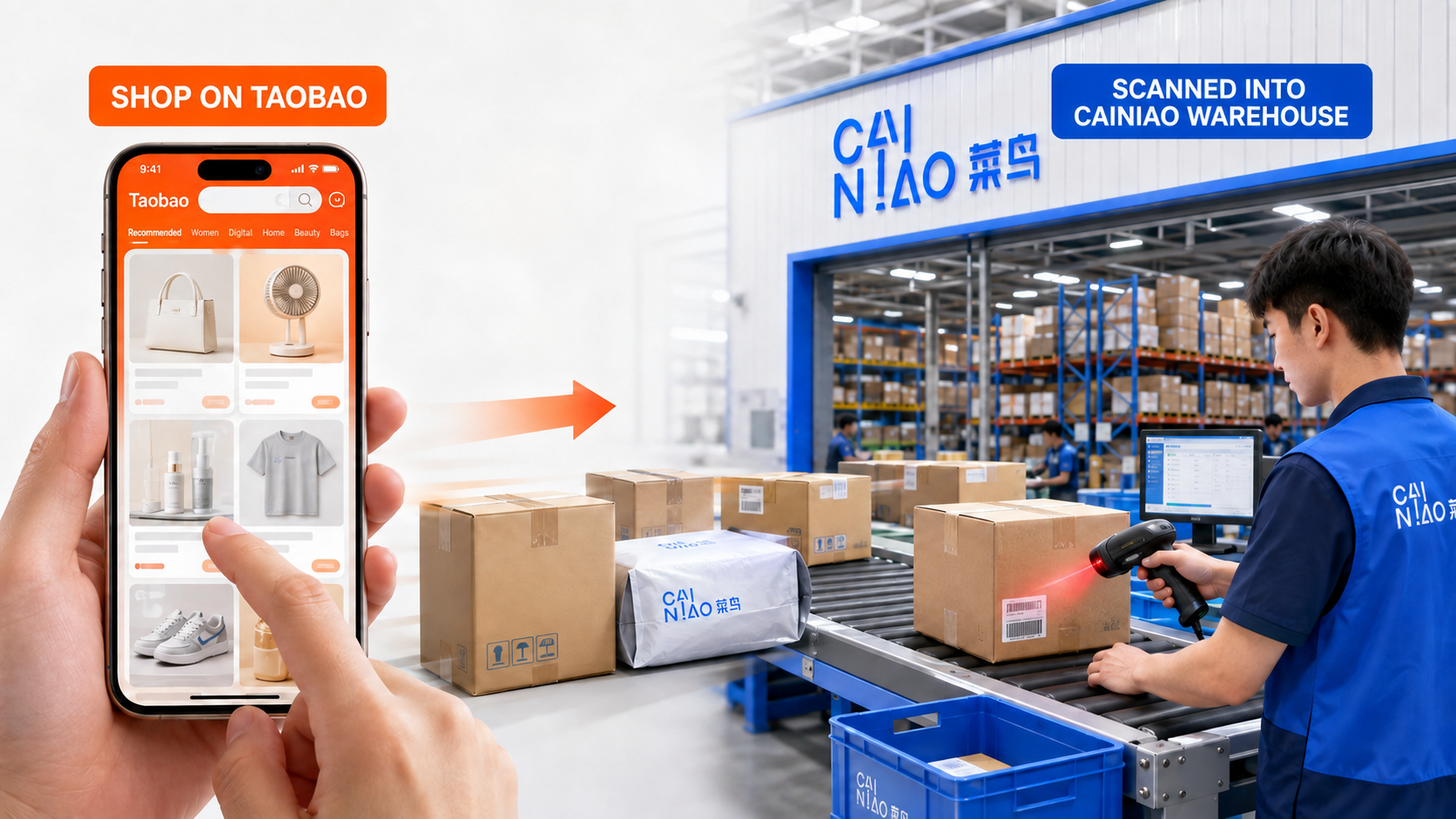
You can order from several Taobao shops. As long as every order uses the complete warehouse address assigned to the same Cainiao account, the parcels will be added to that account as they arrive.
In short: Taobao tracks the seller-to-China-warehouse leg; Cainiao tracks the China-warehouse-to-Malaysia leg.
Step 7: Wait for warehouse check-in, verify the parcels and consolidate
After the seller ships, check the domestic tracking in Taobao. Cainiao will show the parcel as checked in, its weight and the available routes only after the warehouse has received and scanned it.
When you are ready to ship, select the parcels that should be sent to Malaysia and submit a consolidation order. Before confirming, check:
- Parcel count, product descriptions and declared values.
- Whether the products meet Malaysian import requirements and the selected route’s restrictions.
- Chargeable weight, estimated delivery time and final quotation for air or sea freight.
- Whether you want product packaging removed, shipping packaging removed or the original packaging retained.
Do not remove protective packaging needed for fragile or collectible goods merely to reduce volume. For batteries, liquids, food, medicine or other restricted products, confirm the rules with the platform and relevant authorities before ordering.
Step 8: Enter MYSAVE at checkout, pay and track
After consolidating the parcels and confirming the route and declaration, open the international shipping checkout page. Enter the following in Promo Code or a similar field:
MYSAVE
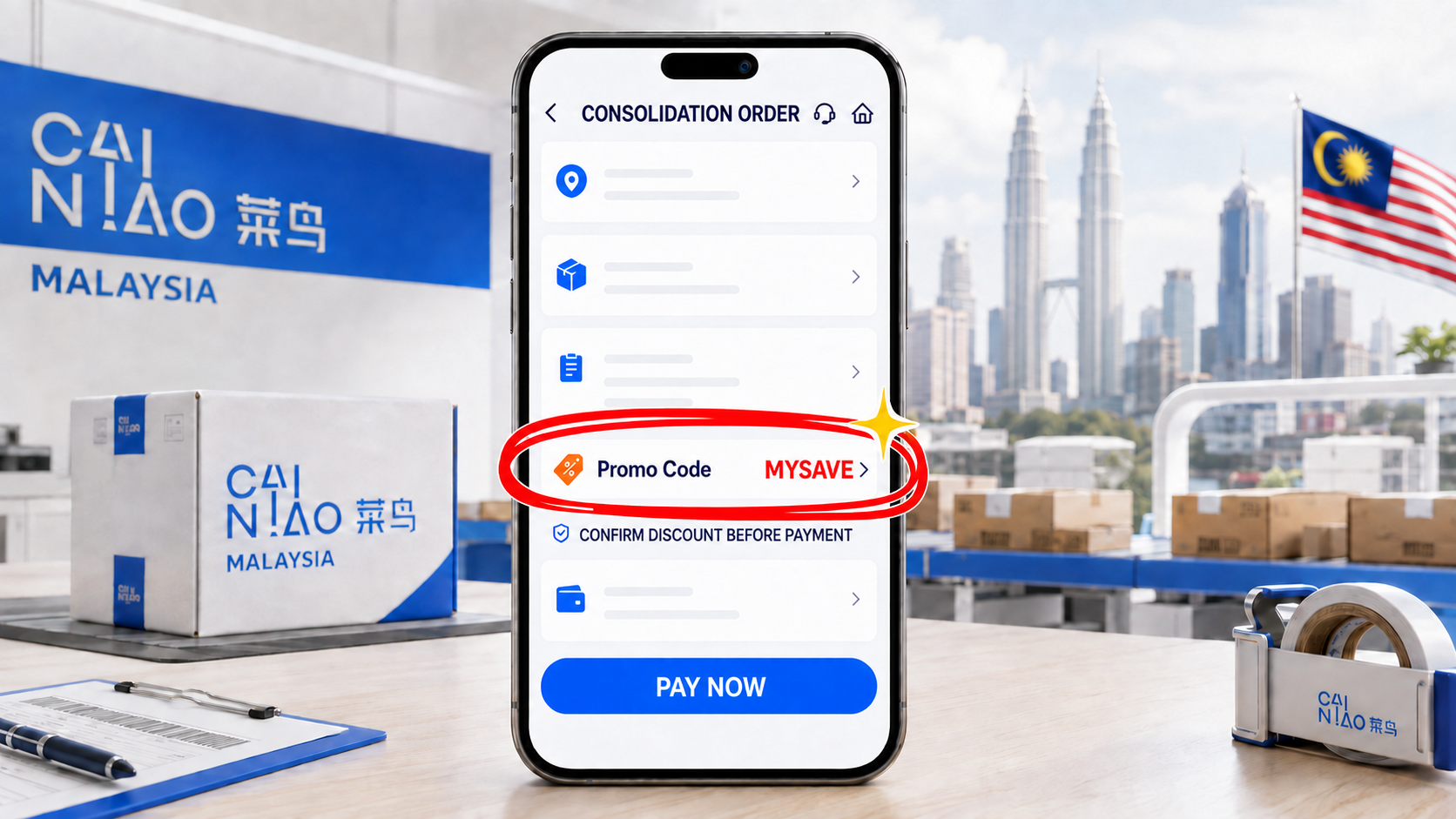
Do not pay immediately after entering the code. First confirm that the discount is active, then recheck the Malaysian delivery address, parcel count, shipping route and final payable amount.
After payment, track warehouse dispatch, international transport, arrival in Malaysia and local delivery in the Cainiao app. If a new last-mile tracking number is provided, use it to track the final leg.
Three common questions about MYSAVE
Is MYSAVE entered during registration?
No. Enter MYSAVE on the international shipping checkout page after consolidation. It is not a registration invitation or referral code.
How much can MYSAVE save?
MYSAVE generally gives a 10% discount. The actual discount may depend on the account, promotion, route and parcel conditions. Use the discount and final payable amount displayed before payment.
What if nothing changes after entering MYSAVE?
Confirm that MYSAVE is in uppercase, the current site and final delivery address are both set to Malaysia, and the selected route shows an available discount. If nothing changes, do not keep attempting payment. Send a screenshot of the checkout page to support through the app.
Checklist after registration
- The app country or region is Malaysia and the phone country code is +60.
- The final Malaysian delivery address has the correct state, city and postcode.
- Taobao has the complete China warehouse address from your own Cainiao account.
- Parcels are checked in before you select consolidation, route and declaration details.
- Enter MYSAVE before payment and confirm that the discount is active.
- Keep the Taobao order numbers, domestic tracking numbers and Cainiao international tracking number.